NextNeural
How to Deploy Your AI Chatbot in 5 Minutes with NextNeural
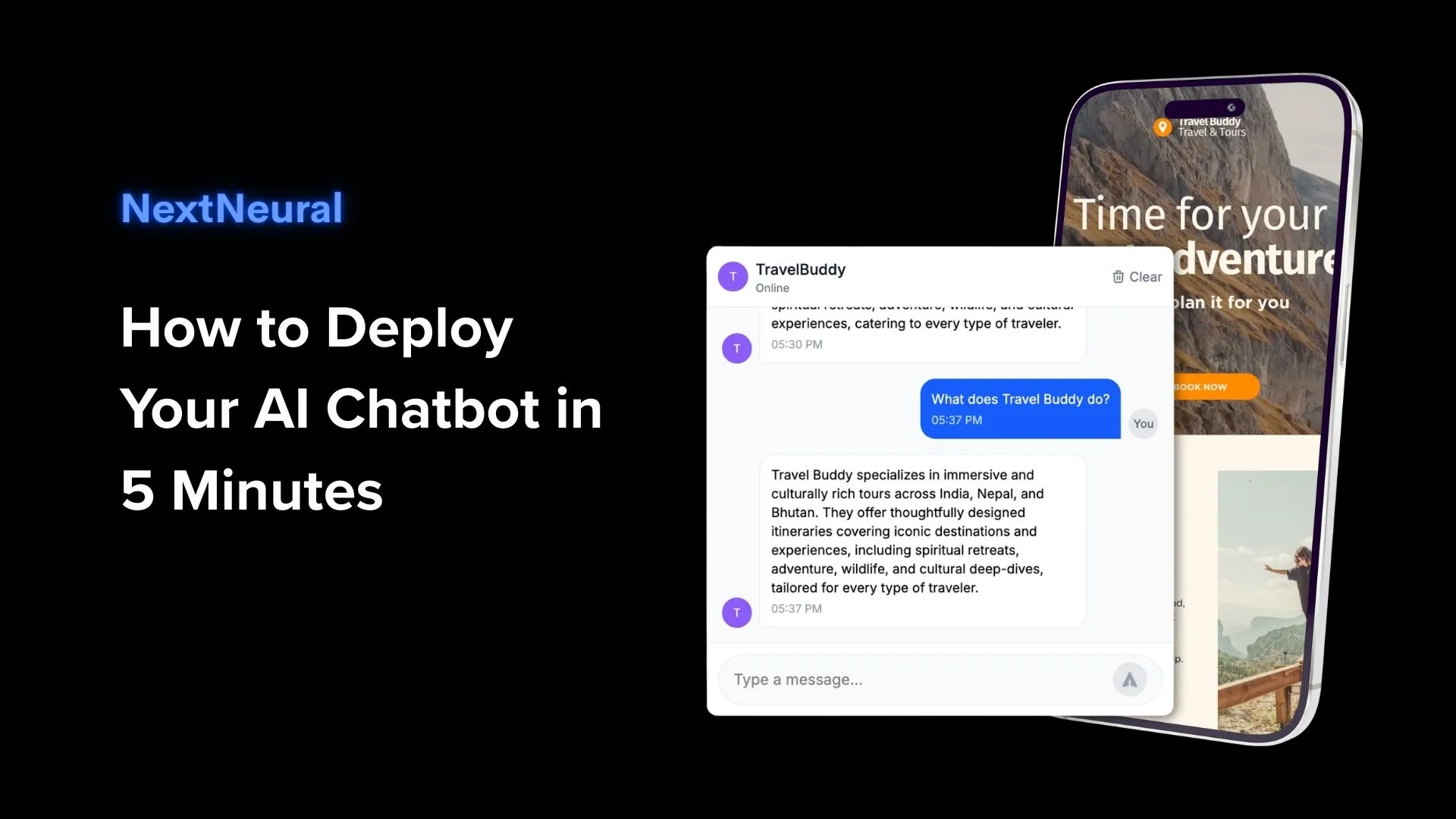
AI-powered chatbots are here to stay. They are so much more than fancy help widgets. They can capture leads, pick up on what customers really want through natural conversation, and give your support team the insights they need to turn curious visitors into happy customers.
In this guide, we show how you can deploy a fully trained, brand-aligned chatbot on your website in just 5 minutes using NextNeural’s intuitive no-code builder.
Why Chatbots Matter for Your Business
Let’s talk about what you’re probably dealing with right now:
- Your support teams are overwhelmed by repetitive customer queries.
- Your manual response systems can’t keep up with traffic spikes.
- Your websites have no lead capture process up front.
- Understanding what prospects are asking can help you really understand real business insights.
An AI chatbot changes all that: it answers customer questions instantly, captures conversational leads, and directs your team to high-value opportunities without you having to lift a finger.
Step-by-Step: Deploy Your AI Chatbot in 5 Minutes
Step 1: Create a Knowledge Base (Train on Your Data)
Your chatbot answers customers based on your business information and that comes from the Knowledge Base.
Go to Knowledge Base on the NextNeural sidebar.
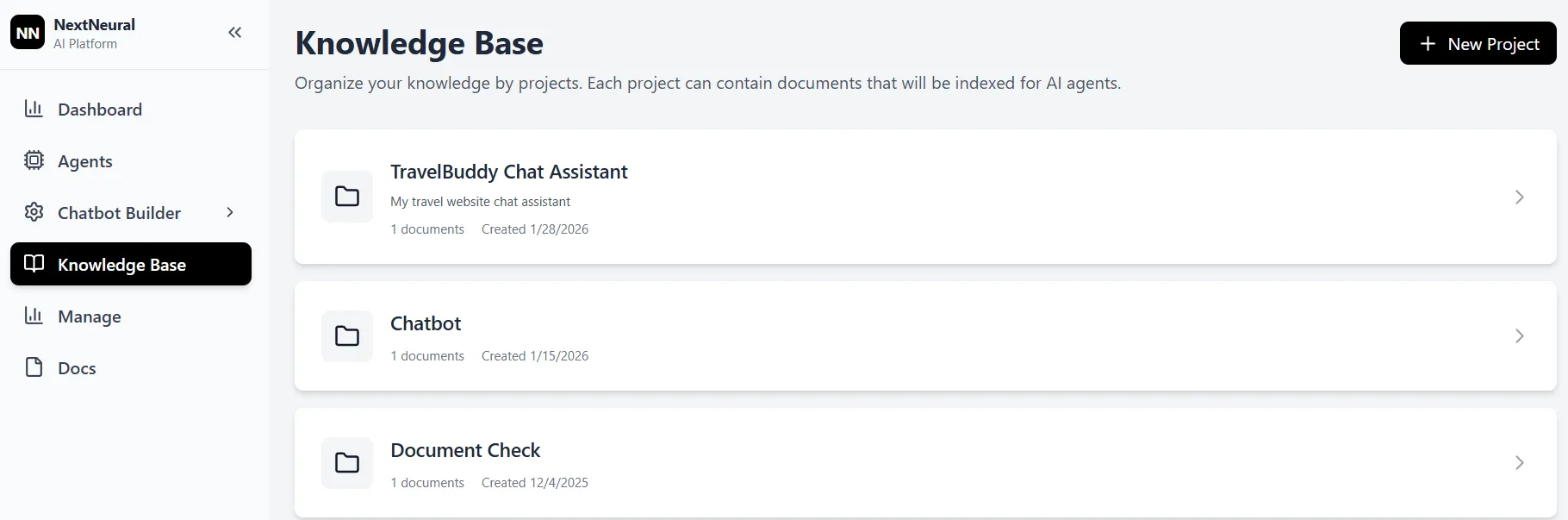
Click + New Project.
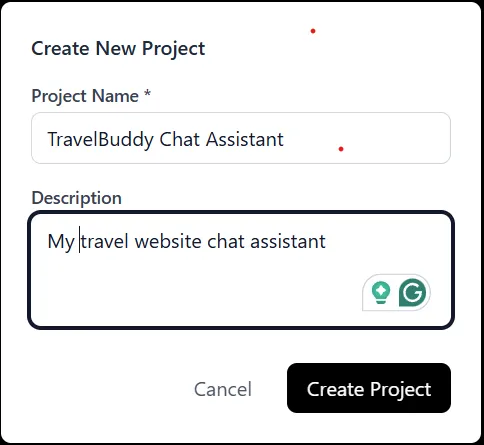
Give it a name and an optional description.
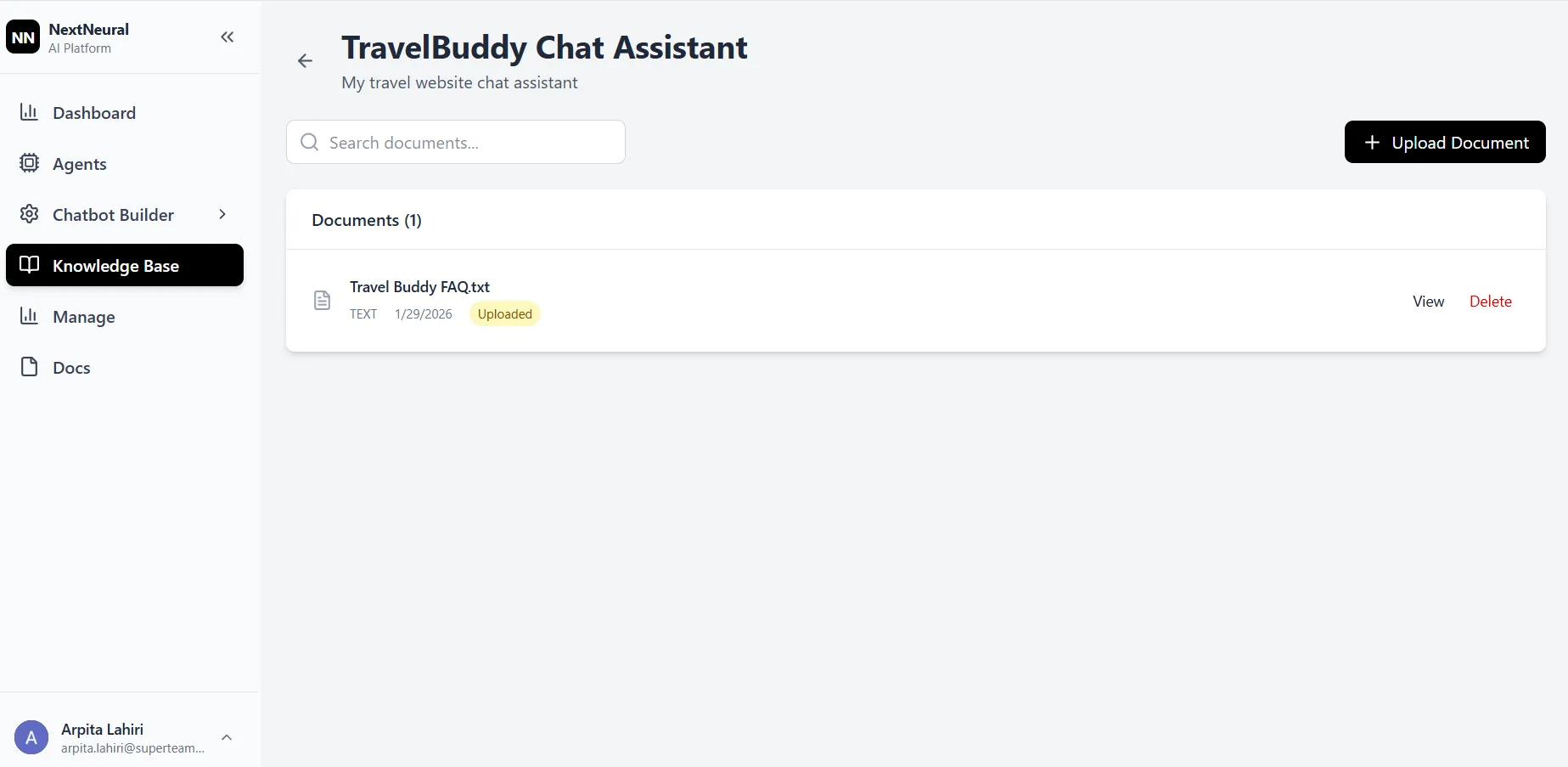
Open the project and Upload Documents containing your business content (FAQs, product info, user guides, policies).
The files will be indexed and ready for AI responses.
This ensures your chatbot responds with accurate, company-specific knowledge instead of generic replies.
Step 2: Build & Train the Chatbot
Once your knowledge base is ready:
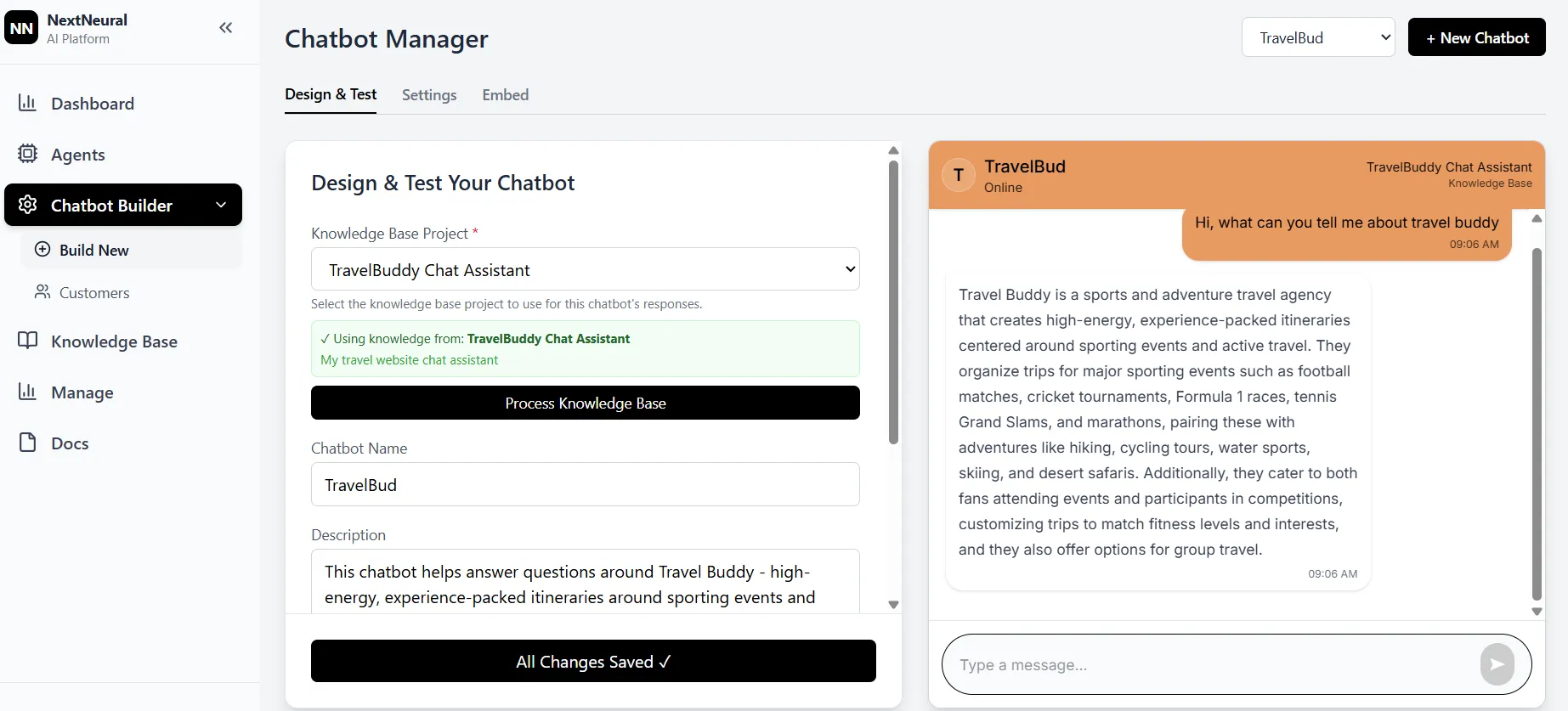
Go to Chatbot Builder → Build New
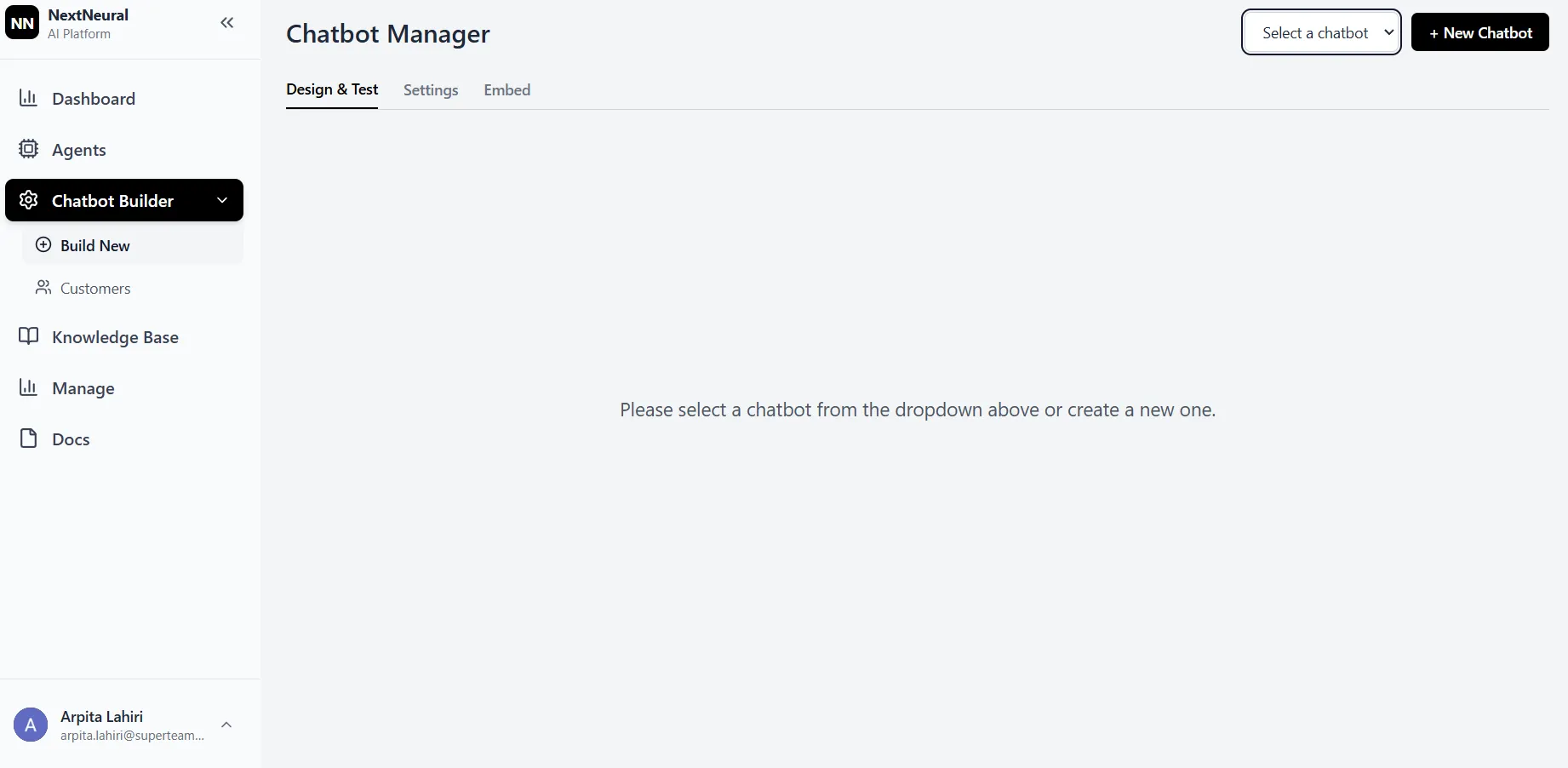
Click + New Chatbot
In the Chatbot Manager:
- Select your Knowledge Base Project
- Enter a Chatbot Name
- Add a helpful Description
- Click Process Knowledge Base
Click Create Chatbot
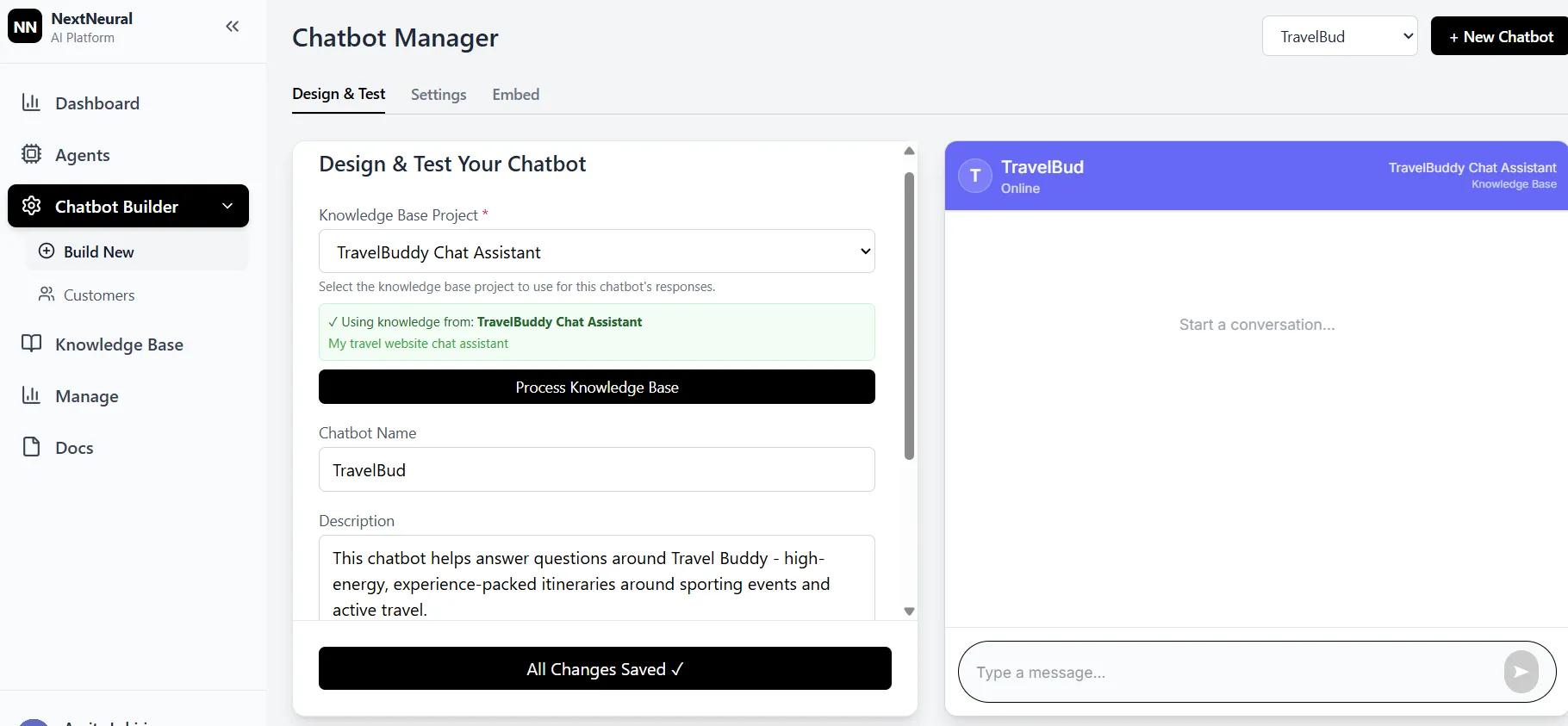
Your chatbot is now trained on your business content; it knows how to answer real customer questions.
Step 3: Brand Your Chatbot
Make sure the chat experience feels like your brand:
Switch to the Settings tab
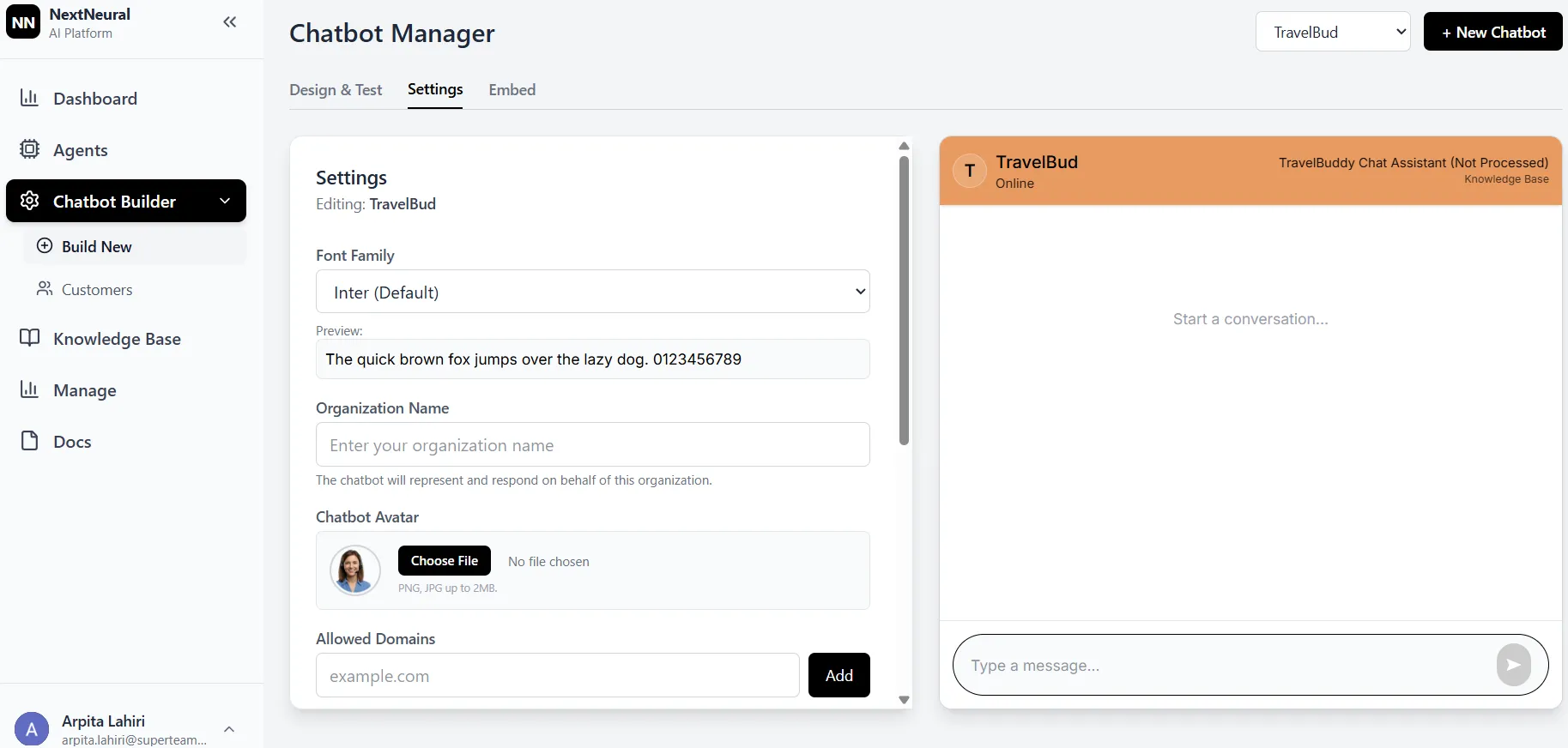
Customize:
- Font Family
- Organization Name
- Chatbot Avatar
- Allowed Domains
Choose Theme Colors and Background Colors
Click Apply Changes
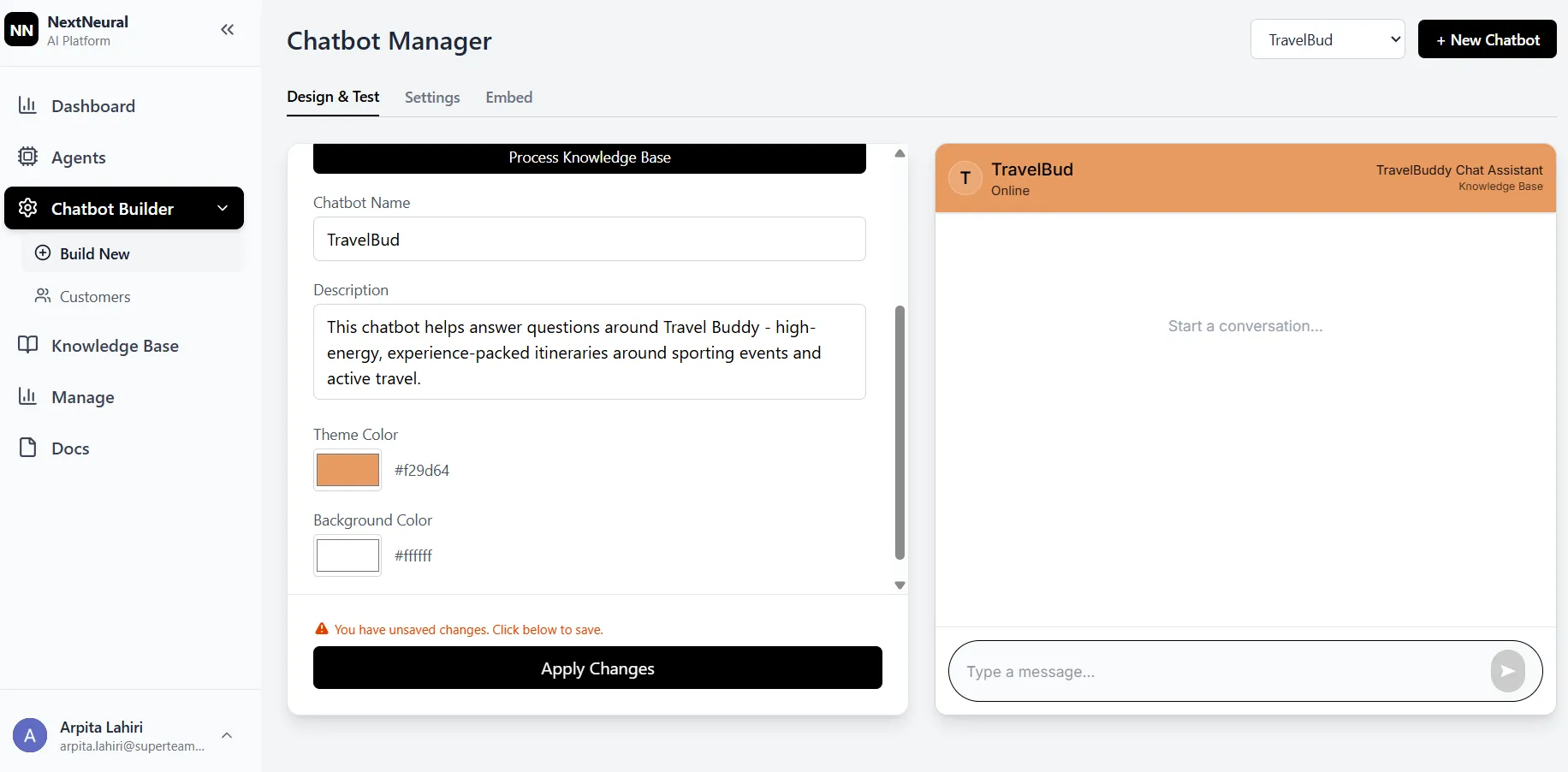
Now, when customers interact with your bot, it looks and feels like a part of your product or website.
Step 4: Test Live Conversations
Before you go live:
- Use the embedded preview panel in Chatbot Manager
- Ask natural-language customer questions
- Validate responses and adjust your knowledge base if needed
You’ll see exactly how the conversation flows in real time.
Step 5: Embed the Chatbot on Your Website
Once your bot is ready:
- Go to the Embed tab
- Copy the provided embed code
- Paste it into your website’s HTML (typically just before
</body>)
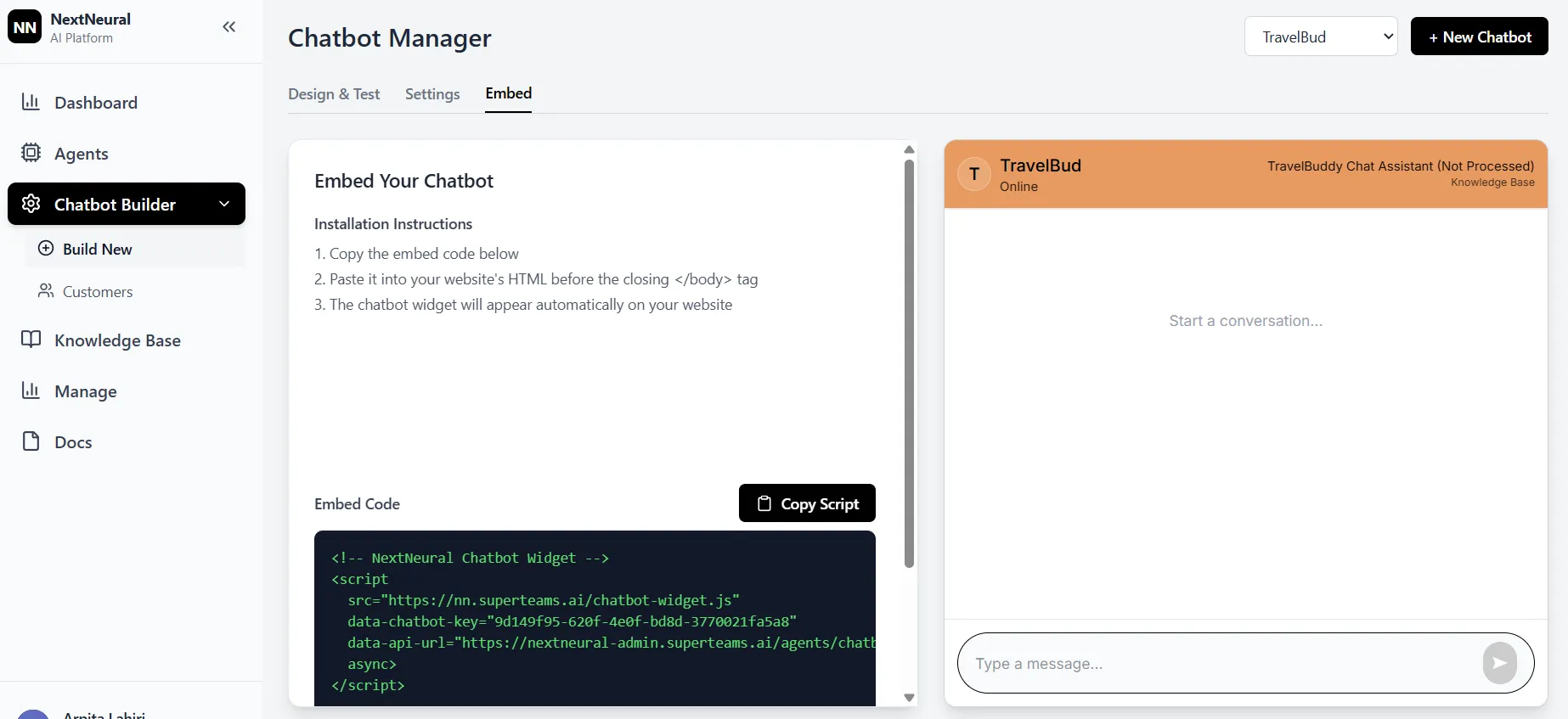
That’s it. Your chatbot is now live on your website, ready to welcome visitors 24/7.
Capture Leads & Drive Business Value
A deployed chatbot does more than answer questions:
- It generates leads by engaging users proactively.
- It identifies intent and high-value prospects.
- It delivers insights on the top queries users ask.
- It reduces support burden, freeing your team for higher-value tasks.
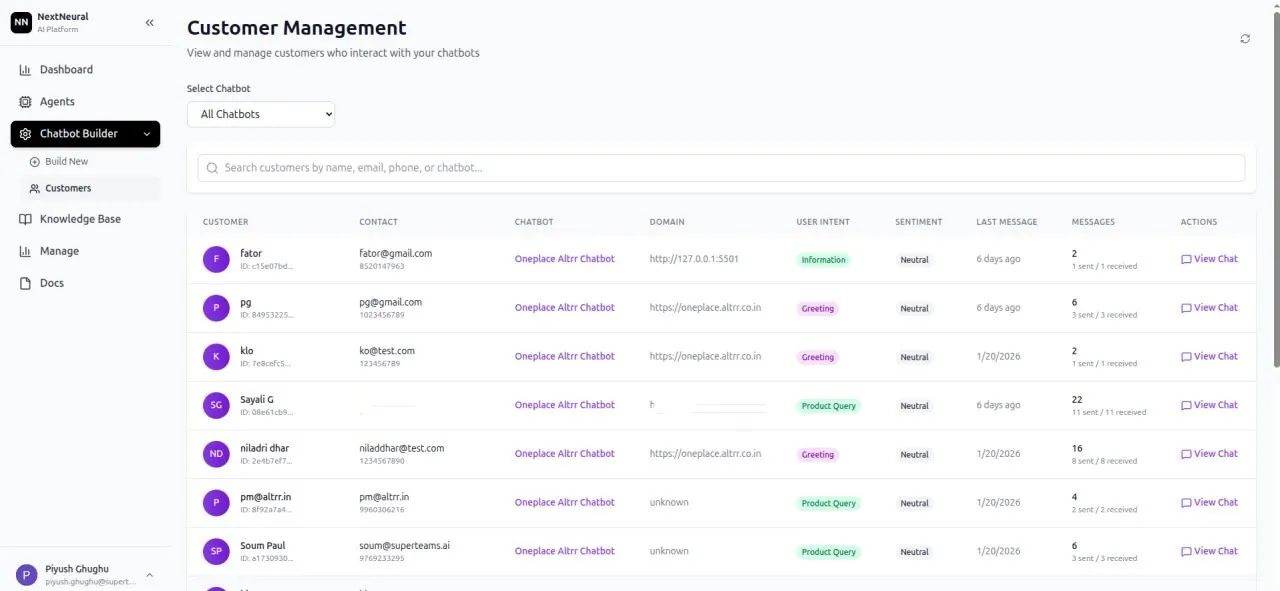
Your bot becomes a lead intelligence tool that gives your support and sales teams crucial context about customer intent, improving conversions and customer satisfaction.
Build Smart Chatbots Faster with NextNeural
No Code Chatbot Creation
With NextNeural’s simple visual interface, you can build powerful chatbots without writing a single line of code. Upload your documents, customize your branding, and deploy through a clean, straightforward dashboard that anyone on your team can use. This no-code approach means you can launch, iterate, and scale your chatbot across departments without waiting on developers or technical resources.
Data Sovereignty and Data Security
NextNeural is built with data sovereignty at its core. Your business content, customer conversations, and insights stay under your control. Whether you need to comply with GDPR, CCPA, or industry-specific regulations, NextNeural’s architecture ensures your data remains private and protected, giving you complete peace of mind as you scale your customer engagement.
Seamless Website Integration
Deploying your chatbot takes one simple embed code; no complex APIs and no lengthy development cycles. NextNeural works with your existing website infrastructure right out of the box, whether you’re running WordPress, Shopify, custom HTML, or anything in between. And because it’s designed to be lightweight and fast, it won’t slow down your site or disrupt the user experience.
If you’d like to explore or try out the platform, sign up here. Approval typically takes 24–48 hours, after which you’ll get access to a range of AI agents designed to speed up your work and improve efficiency.
Ready to Transform Your Business with AI?
Join NextNeural today and deploy production-ready AI agents in minutes.
Contact Us